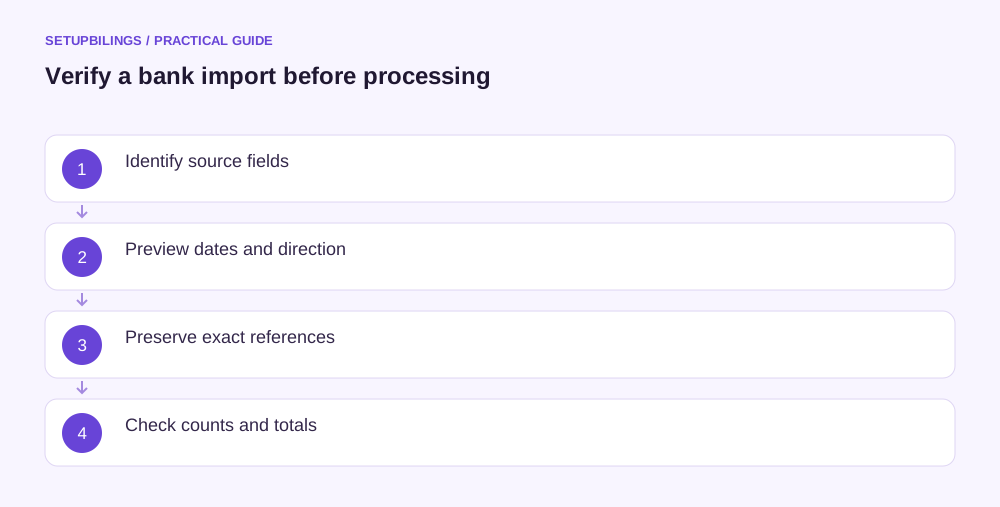
Map a bank statement import by identifying each source column, its meaning and its target field before loading transactions. Verify date format, debit and credit direction, amount units, currency, references and running balances using known examples. Preserve the original file and test a small preview before processing the whole period.
A correctly labelled file can still be mapped incorrectly. “Debit” on a bank statement normally describes money leaving the customer's account, while the accounting bank asset account uses its own debit-and-credit convention. Confirm what the destination system expects instead of assuming identical column names mean identical directions.
Identify the account and file structure
Consider an illustrative Kochi wholesaler receiving a statement with transaction date, value date, description, withdrawal, deposit, balance and reference columns. The preparer confirms the account identifier, currency and covered period before touching the data.
Distinguish the transaction table from opening balances, headings, page totals and summary lines. Those are not ordinary receipts or payments. Importing an opening balance row as a customer receipt can distort both the bank ledger and revenue.
Keep one unedited source copy. Work on a separate preparation file and record any removed headers or formatting changes. This allows a failed mapping to be checked against the actual bank export rather than a file already altered several times.
Write the mapping in plain language
| Illustrative source column | Intended use | Check before import |
|---|---|---|
| Transaction date | Bank posting date | Confirm actual date convention |
| Value date | Separate supporting date | Do not silently replace posting date |
| Withdrawal | Money out | Verify target field or sign |
| Deposit | Money in | Verify target field or sign |
| Balance | Running-balance control | Do not treat as transaction amount |
| Reference | Matching identifier | Preserve exact text |
| Description | Source narration | Retain complete useful detail |
The specific field names and options depend on the bank file and destination. This is a mapping method, not a claim that every accounting application offers the same import fields or duplicate controls.
ICAI's reconciliation principles require a reliable comparison between statement movements and books. Mapping is the data-preparation step that keeps that comparison meaningful.
Test the amount direction with known movements
Suppose the statement starts at ₹50,000, receives ₹25,000 and pays ₹12,000, closing at ₹63,000. The import preview should show a ₹25,000 inflow and ₹12,000 outflow, giving the same movement of ₹13,000.
If the preview instead shows ₹37,000 outflow or closes at ₹13,000, stop and inspect signs and column selection. Some files use two positive amount columns; others use one signed amount plus a debit-or-credit indicator. Use the actual format rather than applying both a negative sign and an additional debit reversal.
Check decimal handling. An amount displayed in rupees with two decimal places should not become 100 times larger or smaller through an incorrect unit assumption. Where an export uses a special unit, verify it from the provider's specification.
Resolve date ambiguity before bulk processing
A value such as 03/04/2026 can be read differently by different regional settings. Confirm the bank's intended format using an unambiguous date and the statement period. Preview several rows across the month rather than trusting the first date that appears valid.
Keep posting and value dates separately where available. Their roles differ, and changing one to the other can move items across a reconciliation cut-off. Record the mapping choice so later imports use the same basis unless the source format changes.
Check whether time information or a provider cut-off affects the source period. Do not infer a universal settlement date from a transaction timestamp alone.
Preserve references as identifiers
Import account numbers, cheque numbers and payment references as text when needed to preserve leading zeros and long strings. Microsoft documents that spreadsheet conversion can remove zeros or change long numeric identifiers. Changing the display format afterward does not necessarily restore information already lost.
Retain a raw reference field even if a separate cleaned version helps matching. Removing punctuation or prefixes may make searching easier, but can also merge distinct identifiers. Keep the original available for bank inquiries.
A blank reference should remain an exception or an explicit blank, not be replaced with a fabricated value that looks like a bank-issued identifier.
Respect the file's actual delimiter and quoting
CSV descriptions can contain commas or line breaks within quoted fields. RFC 4180 documents common quoting conventions; it is an informational format reference, not a guarantee that every bank follows one layout. Use an import process that reads the actual structure instead of splitting every visible comma manually.
Check record counts, especially where descriptions wrap across lines. A visual line count may differ from the number of transaction records. Verify that each parsed row still contains the intended date, amount and narration.
Check an actual reversal in the preview
Include a known reversal or return where the period contains one. Its direction should remain distinct from the original transaction even if both share a related reference. This tests a mapping that might appear correct on ordinary receipts and payments but fail on exception rows, where a mistaken sign can double the original effect.
Validate the completed preview
Compare transaction count, total inflows, total outflows and opening-to-closing movement with the statement. Inspect a few known receipts, payments, charges and reversals. Resolve any rejected rows before relying on the imported balance.
Retain the mapping version and source-file identity for the next period. When the bank changes an export format, repeat the preview instead of reusing the old mapping blindly. A few deliberate checks before import prevent a whole period of reversed signs, damaged references or transactions assigned to the wrong dates.