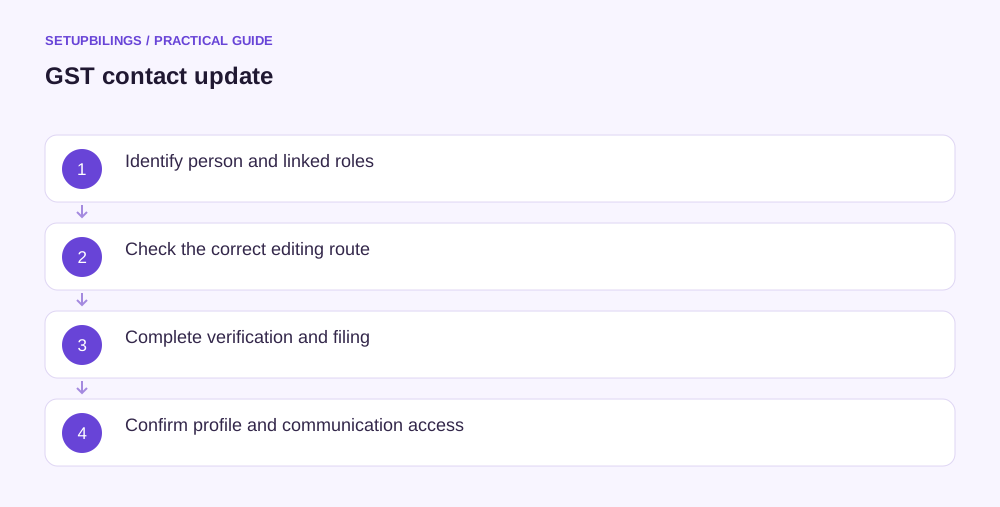
Treat contact details as account controls
The mobile number and email recorded in a GST profile support OTPs, acknowledgements and important communications. Keeping them current is an operational control, not a cosmetic preference. A business can miss a notice or lose access when its only registered contact belongs to a departed employee or an outside preparer whose engagement has ended.
Begin by identifying whose details need changing. The primary authorised signatory, another signatory and a promoter or partner can be different people. If the same person holds more than one role, the correct editing route may depend on that overlap. Do not change a random contact field simply because it is the first editable one you find.
Review the current profile and access
Log in to the official GST portal and inspect My Profile and the relevant address and contact details. GSTN marks the primary authorised signatory in the profile. Record the existing entries and confirm which channels remain accessible through an authorised arrangement. This helps you plan verification before losing access to an old phone or mailbox.
Also determine whether the person remains in the same role. If the finance executive has left and a replacement will act as signatory, that is a signatory appointment issue as well as a contact change. Updating the old person's mobile field to the new employee's number can misrepresent who is authorised to act.
Use contact channels that the business can maintain responsibly. Shared monitoring of an official mailbox can support continuity, but access to personal identity verification should remain with the relevant individual. Document who checks the mailbox, who escalates notices and how messages are retained when staff change.
Use the appropriate non-core workflow
GSTN's guidance directs contact updates through Services, Registration and Amendment of Registration Non-Core Fields. For a signatory whose details are edited independently, the authorised signatory section provides the relevant contact fields. Enter the new information carefully and complete the verification shown by the live form.
Where the promoter or partner and authorised signatory are the same person, GSTN's manual describes editing the mobile and email through the promoter or partner tab. The updated information is then reflected in the signatory tab. Check both areas before submission rather than assuming the connection works correctly after every other profile edit.
The manual describes OTP verification to the updated channels in these workflows. Follow the current screen instructions, including resend limits and validity, instead of relying on an old message or forwarding an OTP from another application. A successfully saved draft still needs the final authorised submission for the amendment to take effect.
Confirm the replacement channels are usable
Test the new email address outside the GST form before filing, checking spelling and whether external messages are accepted. Confirm that the mobile is active and available to the relevant person. A number that can receive calls but has inactive SMS service may still create an OTP problem.
Check spam filtering and any corporate mailbox rule that blocks automated messages. If the business uses an alias, confirm messages reach an actually monitored inbox. Keep the change limited to the required fields and enter a clear reason, such as replacement of an inactive business contact, with a truthful event date where requested.
Illustratively, an Indore proprietor used an accountant's email during initial registration. Before ending the engagement, the proprietor updates the registered contact through the correct profile workflow, verifies the new address and submits the amendment. Receiving forwarded messages from the old accountant is not treated as evidence that the portal record has changed.
Handle lost access through official routes
If the business cannot log in or cannot complete the available verification, use the official recovery and support procedures relevant to the situation. GSTN provides guidance on resetting signatory email and mobile details, and some cases may require assistance from the appropriate jurisdictional authority. Prepare identity and authority evidence rather than repeatedly guessing credentials.
Do not create a new GST registration solely because the current account contacts are inaccessible. That can leave the existing registration and its obligations unresolved. Similarly, do not enter an unauthorised person's details to get past OTP checks. The task is to restore valid access for the registrant and its properly appointed person.
Keep a record of the problem, support reference, documents submitted and eventual outcome. If a filing deadline or notice is pending, track that issue separately while access is restored. Contact recovery does not by itself extend a statutory deadline or answer an existing notice, so preserve the actual timeline and communications.
Submit, verify and finish the handover
Preview the amendment and have the authorised person complete the permitted signing process. Retain the application and acknowledgement. GSTN states that successfully filed non-core amendments are automatically updated, but verify the resulting profile rather than relying on a saved draft or an OTP success screen from an earlier step.
Check the new details in every relevant role and confirm future messages reach the intended channels. If the business has several GSTINs, review each one deliberately. A contact change for one State registration should not be assumed to have updated every related account without checking the displayed records.
Update the internal access register and remove dependence on obsolete mailboxes, while preserving historical notices and filing evidence. Tell the owner, preparer and signatory who now monitors communications. A successful GST contact update ends with a working, verified communication path and clear responsibility for acting on the messages it receives.