First confirm that an appointment is required
GSTN states that biometric Aadhaar authentication is risk based and does not apply to every registration applicant. After submission of the relevant registration details, the communication may provide an OTP authentication link or an appointment route for a GST Suvidha Kendra. Follow the route assigned to your application instead of booking a visit based only on another applicant's experience.
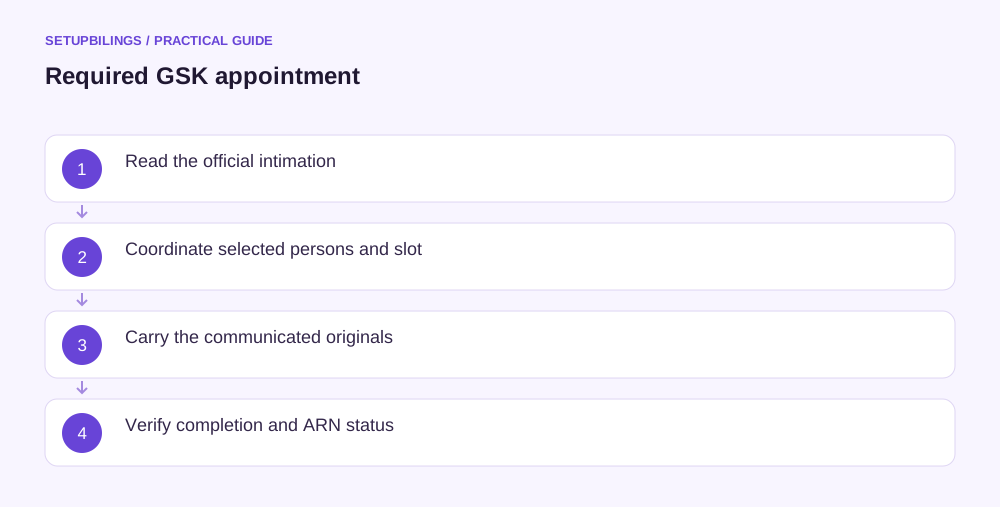
Read the intimation completely. Note the selected persons, application reference, designated centre, jurisdiction and permissible completion period. Biometric authentication at a GSK is different from an officer's physical verification of business premises. One concerns identity and documents; the other concerns the declared business location.
Identify every person who must complete a step
The promoter or partner and primary authorised signatory may be different people. GSTN's registration guidance explains that failure by an applicable person to complete required biometric or document verification can prevent ARN generation. Do not assume one visit by the owner completes every selected person's requirement.
If the same person holds both roles, review the combined requirements shown for that person. Where separate individuals are selected, plan the sequence described in current GSTN guidance. The manual advises the promoter or partner to complete the relevant biometric step before the primary authorised signatory's document-verification visit in the described workflow.
Check whether a permitted home-State GSK choice applies. GSTN's manual describes that option for specified company constitutions and promoter or director roles, with restrictions where the same individual is also primary authorised signatory. It is not a universal right for every applicant to attend any convenient centre in India.
Book using the communicated link
Use the appointment facility linked in the official intimation and choose an available slot within the indicated application window. Keep the confirmation email and check the centre address and working hours. A screenshot showing that a slot was selected is not necessarily the final booking confirmation, so look for the actual confirmed appointment details.
Coordinate travel and original-document custody before choosing the slot. If two selected people need different steps, ensure each knows the centre and time applicable to them. Do not transfer an appointment informally to another employee because the named individual is busy; identity authentication must relate to the person selected in the application.
GSTN's general FAQ describes a fifteen-day window for the relevant new-registration authentication process and explains that an incomplete process can leave no ARN generated. Follow the precise dates in the actual portal and intimation. Rebooking a missed appointment should not be assumed to restart the underlying TRN validity period.
Prepare the document folder from the intimation
The GSTN rollout advisory describes carrying the appointment confirmation, jurisdiction details, original Aadhaar and PAN records, and originals of uploaded documents as communicated in the intimation. Use the current message as the visit checklist because the exact persons and documents can depend on the application and process.
Arrange originals in the same order as a copy of the submitted application and uploads. Check that the constitution record, signatory appointment and premises evidence correspond to the actual applicant. An original rent agreement in a related entity's name does not cure an unexplained mismatch in the application simply because the paper is genuine.
Keep a short index showing which document supports identity, authority, constitution or premises. Carry complete relevant pages, including signatures and property schedules. Do not bring an unrelated volume of certificates as a substitute for the specific missing record the intimation requests. The point is to verify the submitted facts, not the size of the folder.
Work through an appointment example
Illustratively, a company applies in Karnataka while the selected director resides in Maharashtra and a separate finance officer is primary authorised signatory. The team should check whether the director's permitted home-State biometric option applies and where the signatory must complete document verification. Booking both people into the nearest centre without checking role restrictions could leave the process incomplete.
Suppose the company intends to start dispatching ₹4 lakh of goods the following week. That commercial target should not lead it to declare that registration is approved merely because a GSK slot exists. The team should track authentication, ARN generation and the actual registration outcome separately, and plan invoicing based on the real legal position.
Keep the business's application contact channels active during this period. If a message reports incomplete verification or a mismatch, record the issue and seek resolution through the relevant official process. Repeated attendance without understanding the outstanding step can waste time while the application window continues to run.
Confirm what the visit completed
After attendance, check whether biometric authentication and any required document verification were recorded for every applicable person. Keep the confirmation or reference provided and inspect the portal status. A completed photo capture alone should not be assumed to mean that the document-verification component or the other selected person's step is complete.
GSTN guidance says ARN generation follows completion of the required process in these cases. If no ARN appears, investigate the actual outstanding status rather than submitting a duplicate application immediately. Keep the TRN, booking confirmation, attendance evidence and support references together so the issue can be explained accurately.
Once the ARN is generated, continue tracking the application and any clarification notice. Biometric completion is an identity-verification milestone, not a guarantee of registration approval. A useful appointment file allows the business to show who attended, what was checked and what action remains before it treats the registration as complete.